
Manufacturing ERP
ERP adapted to production and operational workflows.
Fit before implementation
Review the work, then inspect the actual product in a demo.
01
Start with production
Production operations
02
The foundations a manufacturer needs
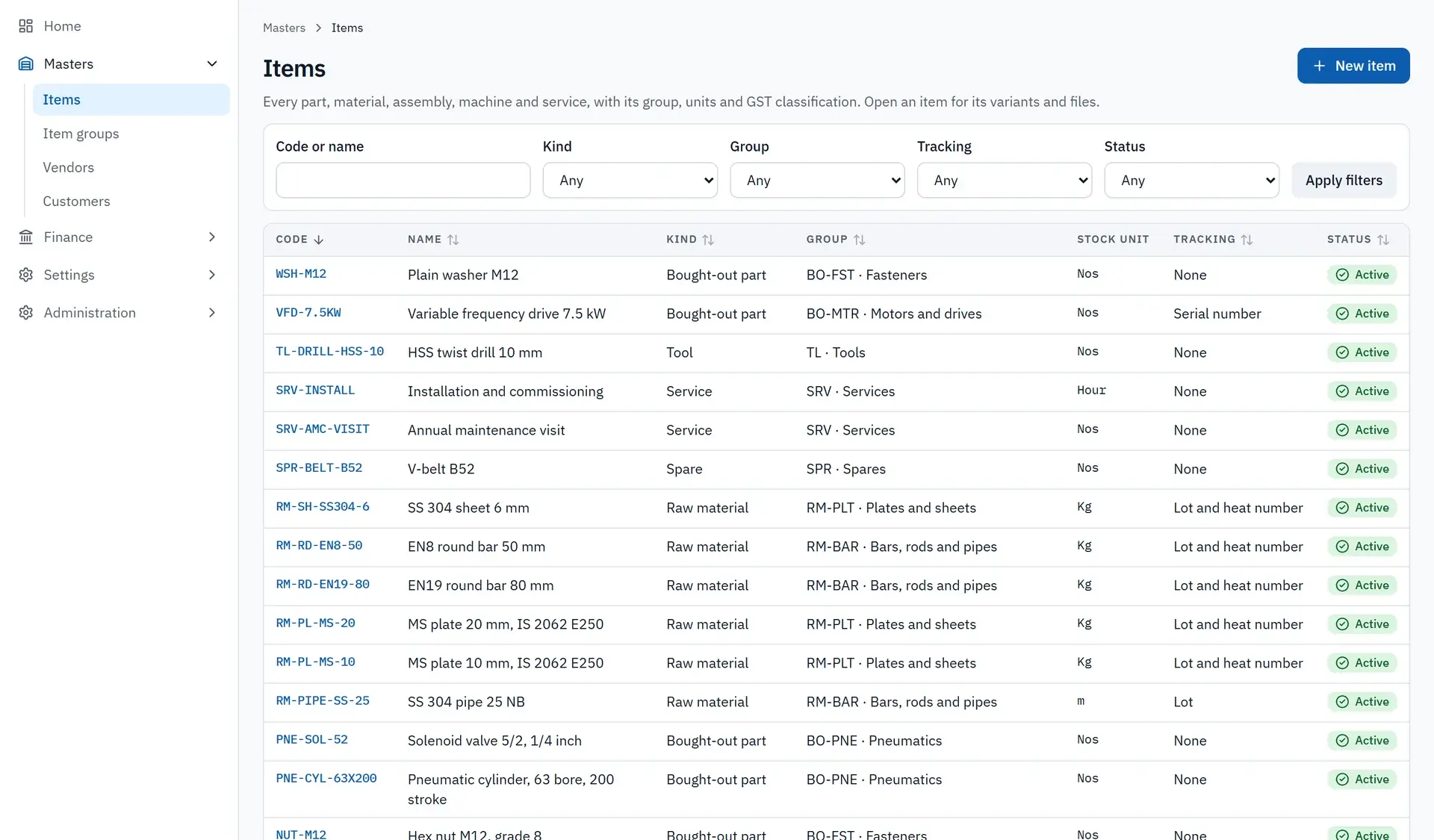
Item master with lot, heat-number and serial tracking
03
Adapt where it matters
Module-fit review
Start with production
Review how production connects to the wider operation before selecting modules and changes.
- Production operations
- Workflow visibility
- Manufacturing requirements
The foundations a manufacturer needs
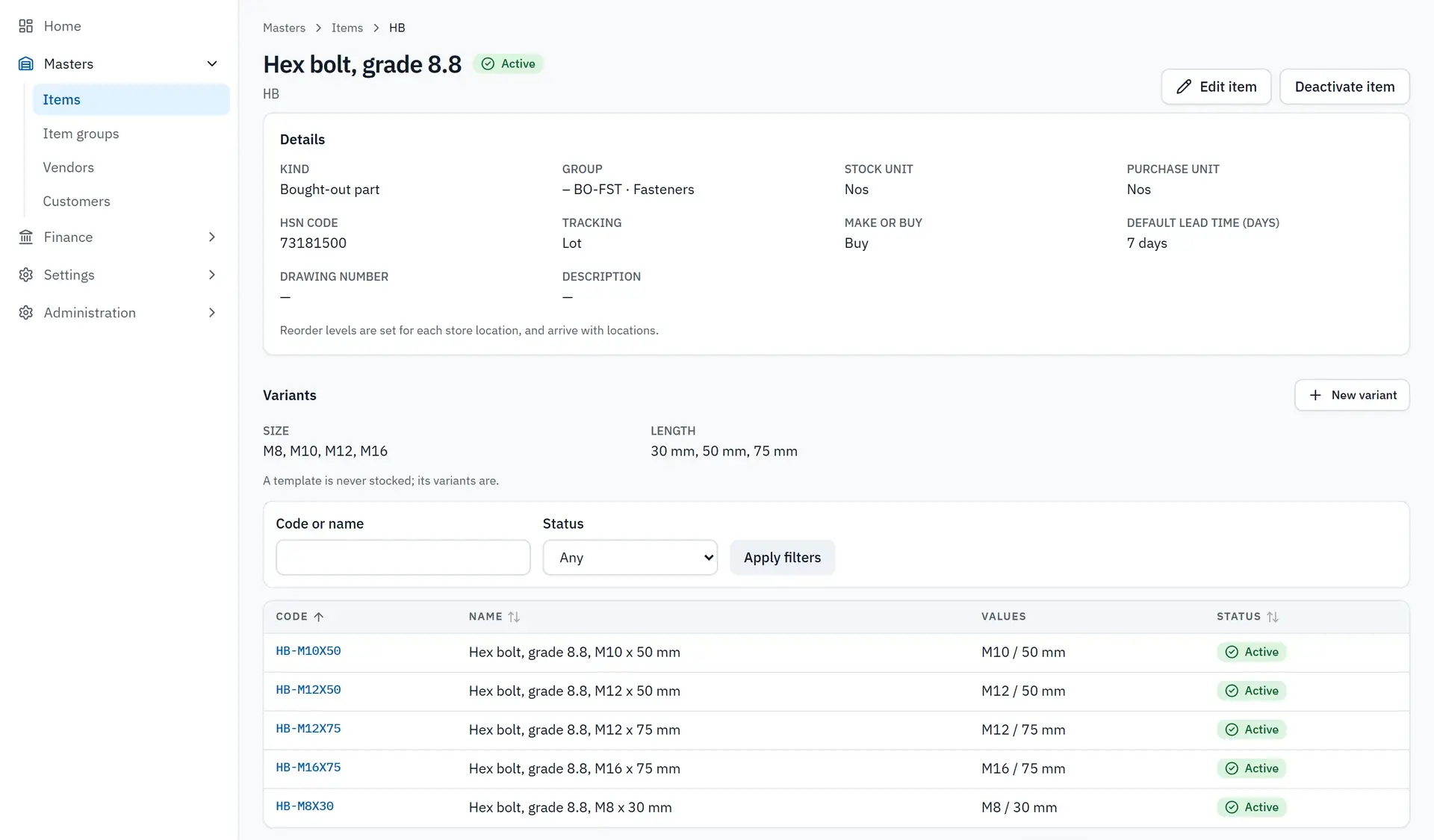
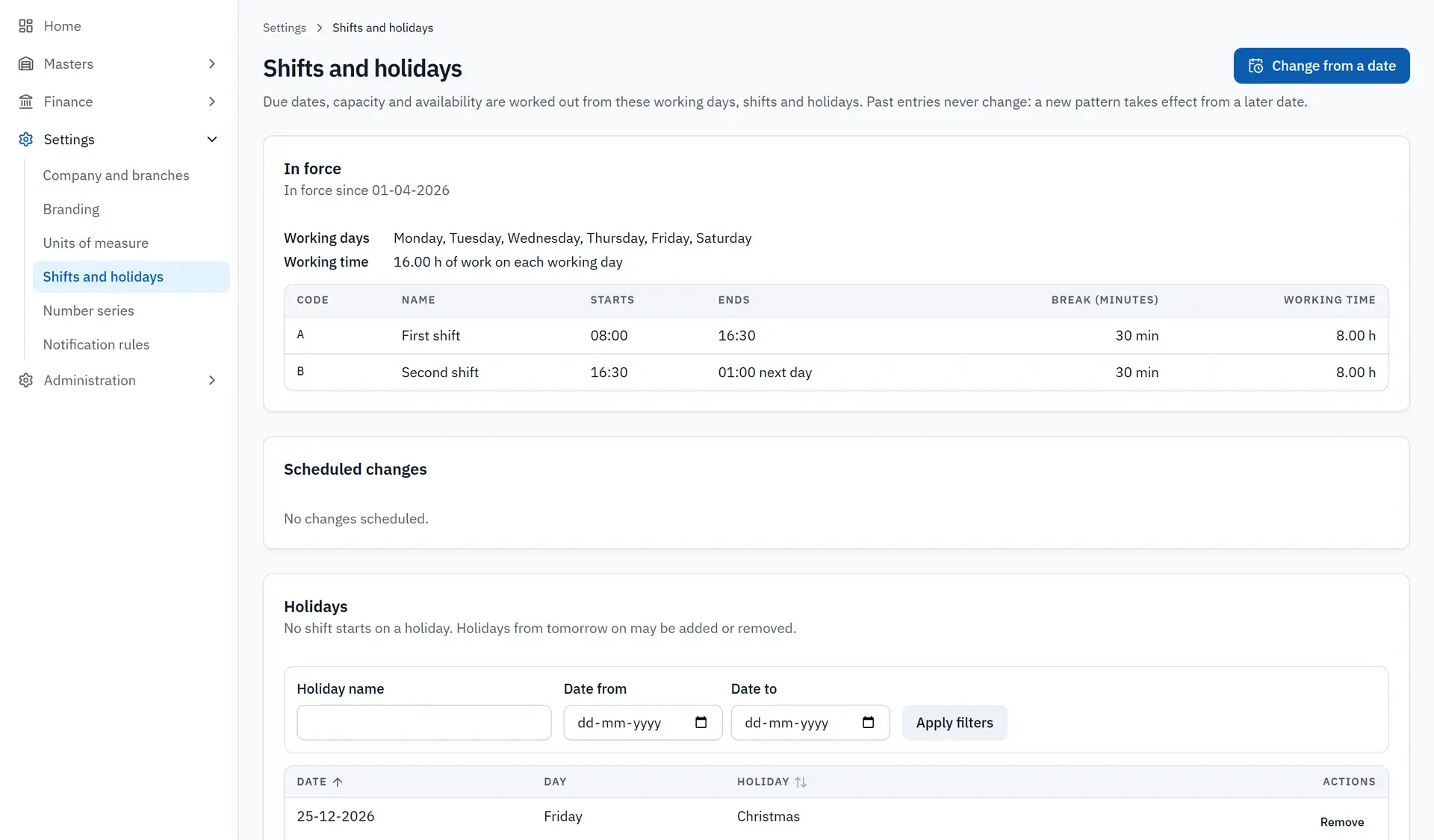
The platform starts from the records every other function depends on. One item master covers parts, raw materials, tools, spares and services, with tracking by lot, heat number or serial number where you need it. Variants such as size and length are managed from one template. Shifts and holidays are defined once and drive due dates, capacity and availability. Currencies and role-based access are set per company.
- Item master with lot, heat-number and serial tracking
- Variants from a single template
- Shift and holiday calendar
- Multiple currencies and role-based access
Adapt where it matters
Custom ERP and modules can be shaped around the manufacturer’s needs. Exact capabilities and integrations are reviewed for the engagement.
- Module-fit review
- Custom modules
- Application integration
Inspect before committing
A demo and a fit conversation establish what exists and what needs changing for your plant. The screens on this page are taken from the product, shown with demonstration data.
- Product demo
- Required integrations
- Implementation scope
Signs you have outgrown your current setup
Many manufacturers run on a mix of accounting software, spreadsheets and messages between departments. It works until volume grows. Then stock figures stop matching the floor, purchase and production plans are made from different numbers, and month-end depends on a few people who know where everything is. Off-the-shelf systems can solve this, though some require you to change your process to suit the software. A customised ERP starts from your process.
- Spreadsheets between departments
- Stock figures that do not match the floor
- Plans built on different numbers
- Month-end that depends on a few people
Shaped around your operation
The manufacturing ERP is one of three ready platforms from Data Prophets, and it is customisable. We start from the existing product and adapt it to how your plant plans, buys, makes and ships. Which parts you use, and what needs to be added, is settled in a fit review before any commitment. The same team delivers data engineering and automation work, including integrations with SAP and Salesforce, so connections to other systems can be scoped properly.
- A ready platform as the base
- Customised to your production workflow
- Fit review before commitment
- Integrations scoped per client
Migration, rollout and the demo
An ERP change touches every department, so it is best done in stages. Master data such as items, suppliers and customers is cleaned and migrated first. One area goes live, people are trained on real work, and the next area follows. Old spreadsheets are retired once the system holds the same information reliably. Start with a demo: bring your production flow, and we will show what the product covers and what would need building.
- Master data clean-up and migration
- Staged go-live by area
- Training on real work
- Demo against your production flow
Questions that come up
What modules does the manufacturing ERP include?
We show the current product in a demo instead of publishing a module list, because what matters is the fit with your operation. In the demo you see what exists, and we identify what would need customising or adding.
Is it suitable for a small or mid-sized manufacturer?
It is customised to each client, so suitability depends on your processes more than your size. If you are running production on spreadsheets and disconnected tools, a fit conversation will show quickly whether the platform makes sense.
Can we move our existing data across?
Yes. Migration is planned as part of the rollout. Items, suppliers, customers and open orders are usually cleaned and mapped first. Data transformation and migration are core Data Prophets services, and the effort depends on the state of your current data.
Can it work alongside systems we already use?
Integration needs are reviewed for each engagement. Tell us which systems must stay, such as accounting or sales tools, and we will scope how the ERP exchanges data with them. Nothing is promised before that review.

Let’s talk about your next step.
The workflow, the data and what needs to change.